Can Claude Watch YouTube Videos?
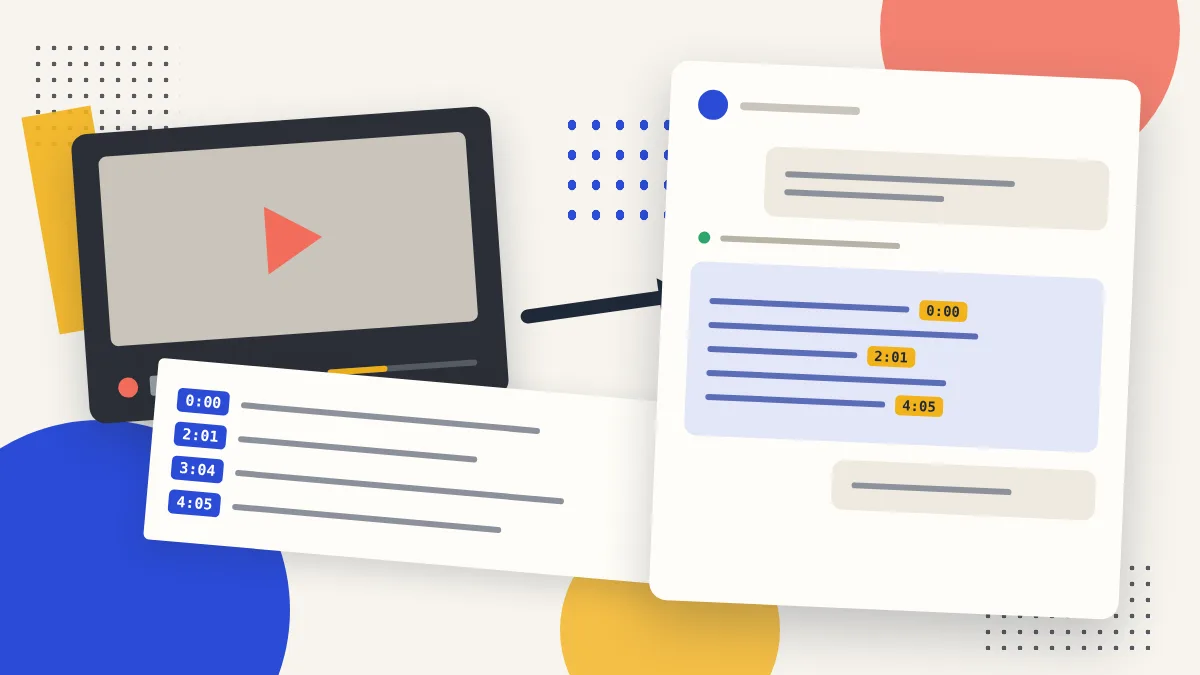
No, Claude can't watch a YouTube video. It doesn't press play, it doesn't hear the audio, and it usually can't open a YouTube link on its own. But it can read, and almost everything useful in a video is said out loud. Give Claude the transcript and it will summarize a two-hour podcast, pull exact quotes from an interview, or explain the one tricky minute of a lecture, with timestamps you can click to check.
So the practical answer is "not by itself, but yes with the transcript." This guide shows what happens when you paste a link, the three ways to get the transcript to Claude, and what a real answer looks like.
Fastest route
Connect the Vidskim YouTube MCP server to Claude once. After that you just paste a YouTube link and ask; Claude fetches the transcript itself and cites the moments it used. Free for 30 videos a month, Google sign-in, no API key.
What happens when you paste a YouTube link into Claude
Try it and you will usually get one of three results.
Claude says it can't open the link. Claude is a language model that works with text and images. A YouTube URL points to a video player, not to a page of words, so there are no spoken words for it to read.
Claude answers from the title and description. If web search or page fetching is turned on, Claude may reach the YouTube page and see what any visitor sees without pressing play: the title, the channel, the description, maybe a few comments. A summary built from that describes the packaging of the video, not what the speaker said for forty minutes. It can sound confident and still be wrong.
Claude finds a write-up somewhere else. For popular videos, search can turn up a blog post or a news article about the video. That is someone else's summary, and you can't tell how faithful it is.
None of these is Claude watching the video. The reliable fix in every case is the same: get the spoken words in front of Claude as text.
Why a transcript is enough for most videos
Talks, tutorials, interviews, lectures, podcasts, and explainers carry their content in speech. YouTube already turns that speech into captions for most public videos, either uploaded by the creator or generated automatically. A transcript is just those captions laid out as text, usually with a timestamp on each line.
That is exactly the kind of input Claude is good at. It can condense it, reorganize it, quote it, translate it, compare it with another video, or answer a narrow question about it. With timestamps in the transcript, Claude can also point to where something was said, so you can jump to that second and check.
What a transcript doesn't capture is anything that is only shown: a chart nobody describes, code on screen that the presenter doesn't read out, a product demo without narration. More on that below.
Three ways to give Claude a YouTube video
1. Paste the transcript yourself
Open the video on YouTube, expand the description, and click Show transcript. Select the text, copy it, and paste it into Claude with your question. If the transcript panel is missing or awkward to copy, paste the link into the YouTube transcript generator and copy the clean text from there.
This works anywhere and costs nothing. It gets tedious when you do it often, and very long transcripts may need to be pasted in parts.
2. Use the Vidskim browser extension
If you watch on YouTube in Chrome, the Vidskim extension shows the transcript next to the player and lets you summarize the video or chat with it right there. It is handy when you are already watching and want answers without leaving the page.
3. Connect a YouTube MCP server to Claude
This is the option that makes Claude feel like it can "watch" videos. MCP (Model Context Protocol) is how Claude connects to outside tools, the same mechanism behind Claude's other connectors. A YouTube MCP server gives Claude a tool for fetching transcripts, and Claude calls it on its own whenever you mention a video.
Vidskim's YouTube connector is a remote MCP server, so there is nothing to install. It gives Claude five tools: the full transcript with chapters and a clickable timestamp on every paragraph, search inside one video, video details, YouTube search, and a channel's latest uploads.
To add it to Claude:
- Open Settings → Connectors in Claude and choose Add custom connector.
- Name it Vidskim and paste
https://vidskim.com/api/mcp. - Click Connect, sign in with Google, and press Allow.
The connector then works on claude.ai, in the desktop app, and on mobile. The first time Claude uses it, Claude asks permission for each tool call; choose Always allow for the Vidskim tools so long videos, which arrive in several parts, don't ask you again for every part.
In Claude Code, one command does the same thing:
claude mcp add --transport http vidskim https://vidskim.com/api/mcp
Then type /mcp inside Claude Code, pick vidskim, and sign in.
What a real answer looks like
Here is an actual exchange with the connector turned on. The prompt was:
Explain how this video says a transformer works, in a few short points with timestamps: https://youtu.be/wjZofJX0v4M
Claude called the transcript tool on the 27-minute 3Blue1Brown video Transformers, the tech behind LLMs, read the first chapters, and answered along these lines:
- GPT stands for generative pre-trained transformer, and the transformer is the kind of neural network behind the current AI boom 0:00.
- A chatbot like ChatGPT works by predicting a probability distribution for the next chunk of text, sampling from it, appending the result, and repeating 2:01.
- The input is split into tokens, and each token becomes a vector, a list of numbers meant to encode its meaning 3:04.
- In the attention block those vectors pass information to each other, which is how "model" can mean something different in "machine learning model" and "fashion model" 4:05.
- The model then alternates attention and multi-layer perceptron blocks, and the last vector is turned into the probability distribution for the next token 5:08.
Every point links to the second where it is said. That is the main difference from a link-only summary: you can check each claim in one click instead of trusting it.
Prompts that work well
Once Claude can read the transcript, ask the way you would ask a friend who watched the video:
- "Summarize this lecture as study notes with timestamps: [link]"
- "What does the guest say about pricing, and where in the interview?"
- "Pull three exact quotes from this talk that would work in a LinkedIn post."
- "Compare what these two videos say about intermittent fasting: [link 1] [link 2]"
- "What did this channel publish this month, and what do the videos have in common?"
For a long video, a narrow question is cheaper and more accurate than "summarize everything." With the connector, Claude can search inside the transcript and read only the parts about your topic.
What Claude still can't do with a YouTube video
It can't see the picture. A transcript is speech. Slides, diagrams, code on screen, and on-screen text are missing unless the speaker reads them out. For a visual detail, pause the video, take a screenshot, and upload it to Claude next to the transcript.
It needs captions. If a video has no captions, either uploaded or auto-generated, there is no transcript to read. Private, members-only, and removed videos are out of reach too. A good tool tells you so instead of guessing; Vidskim returns a clear "no captions" message that Claude passes on.
Auto-captions make mistakes. Names, numbers, and jargon are where automatic captions slip most. Check anything you plan to publish or act on against the timestamp.
Music and tone don't come through. A transcript tells Claude what was said, not how it sounded.
Related guides
If you use ChatGPT as well, can ChatGPT summarize a YouTube video covers the same question for OpenAI's assistant. For prompt ideas across tools, see how to summarize a YouTube video with AI, and if you want to keep asking follow-up questions, chat with a YouTube video picks up from there.
Frequently asked questions
No, not directly. Claude reads text and images; it doesn't play video or listen to audio, and it can't reliably open a YouTube link on its own. It can read a video's transcript, which is enough to summarize, quote, and answer questions about almost any talk, lecture, or interview.
Yes, once it has the transcript. Paste the transcript into the chat, use a browser extension that hands it over, or connect a YouTube MCP server such as Vidskim so Claude fetches the transcript itself whenever you paste a link.
YouTube pages don't contain the spoken words as plain text, and YouTube often blocks automated requests. So when you paste a bare link, Claude either says it can't open it or works from the title and description. Give it the transcript and the problem goes away.
Only what is said out loud. A transcript captures speech, not slides, code on screen, or charts. If the speaker reads or describes what's on screen, Claude gets it; if not, take a screenshot and upload it alongside the transcript.
Claude has no built-in YouTube access, but you can add a custom connector. Vidskim is a remote YouTube MCP server: paste one URL in Settings, Connectors, sign in with Google, and Claude can read transcripts, search inside videos, and list a channel's uploads. The free plan covers 30 videos a month.
Yes. Run claude mcp add --transport http vidskim https://vidskim.com/api/mcp, then type /mcp inside Claude Code and sign in. Your coding agent can then follow a tutorial or conference talk from its transcript.
No. Vidskim is independent and is not affiliated with, endorsed by, or sponsored by Anthropic or YouTube. Claude is a product of Anthropic.